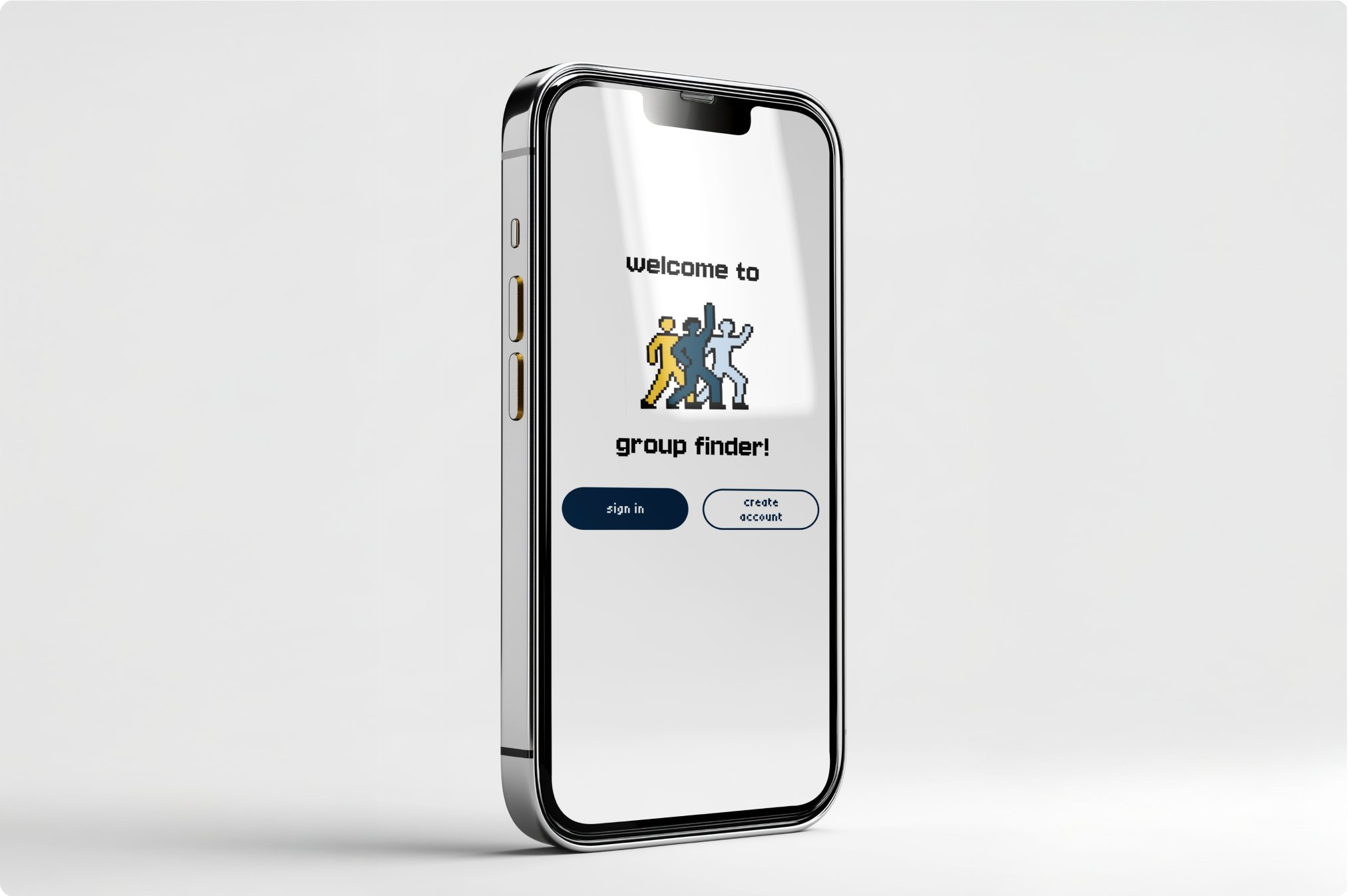
Study smarter, the Michigan way.
Group Finder is a mobile app designed for University of Michigan students who need to find study partners or project groupmates but want more than proximity as a filter. Users create profiles with their major, year, personality type, and working style; from there they can browse and connect with people whose approach actually matches theirs.

The problem with finding people.
Finding a good study group is harder than it looks. You either end up with whoever's near you in class, or get stuck in an unbalanced group where the work isn't shared equally. There's no real infrastructure for filtering by compatibility; schedule, standards, and working pace all matter and none of them are visible.
Building the visual foundation.
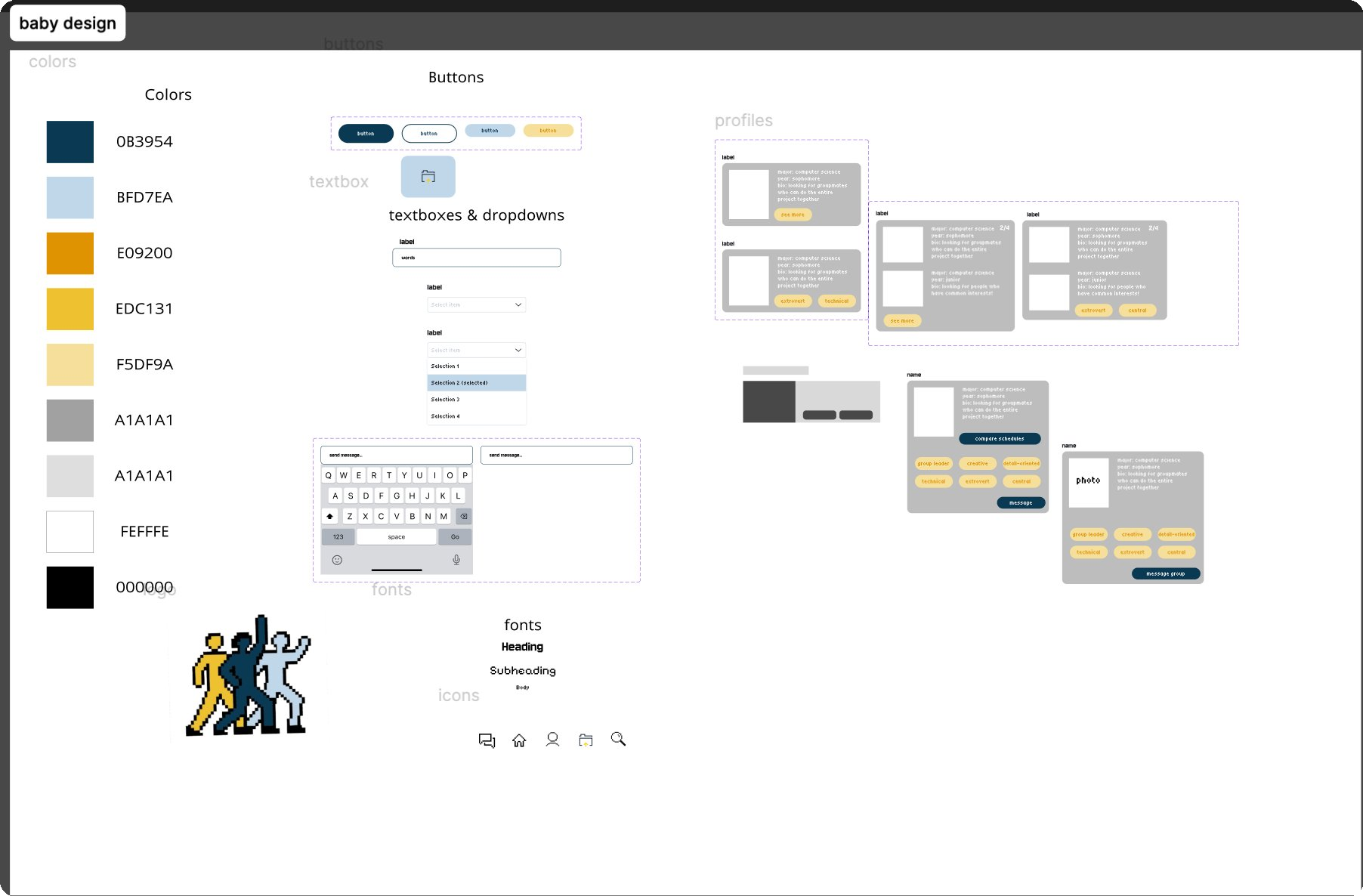
The design system is built around Michigan's maize and blue, with a pixel-art mascot logo that gives the app personality without feeling institutional. I built out a full component library: buttons, dropdowns, profile cards, and a messaging interface, all optimized for mobile and fast to scan.
From sketches to wireframes.
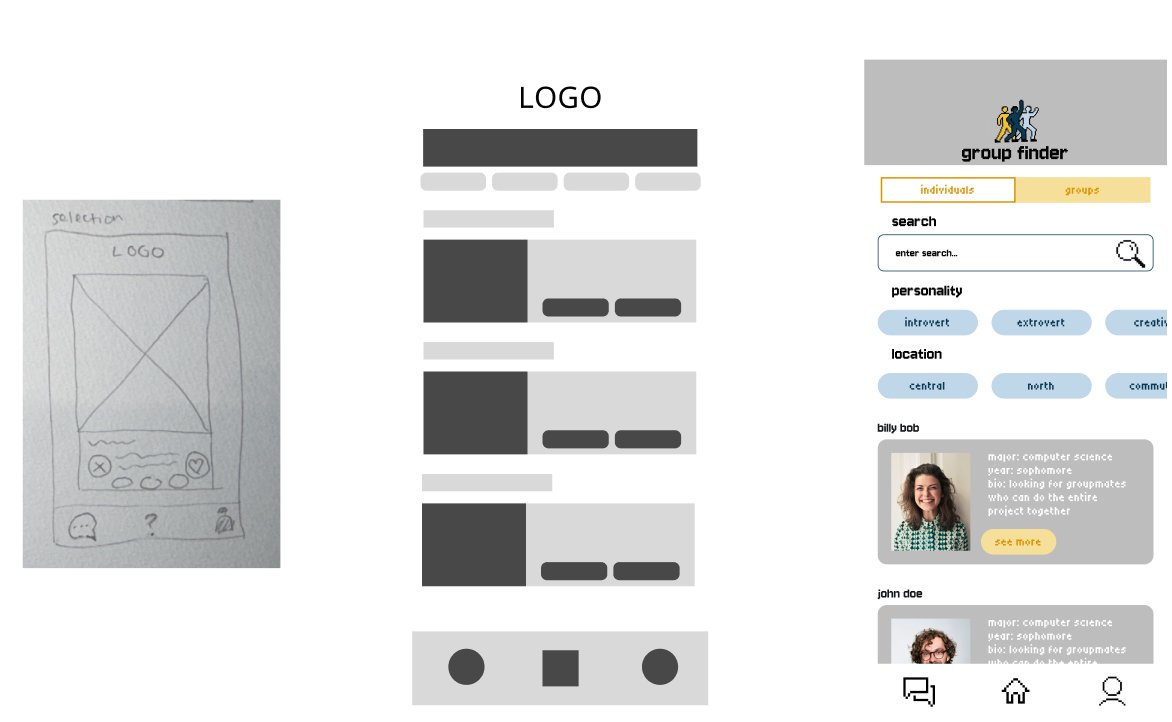
Early explorations covered the core screens: a selection/home screen, a browsable list of individuals and groups, and a detailed profile view. Lo-fi walkthroughs helped identify where the filter system needed the most work; it's the feature that makes the app actually useful rather than just a directory.
The full app flow.
The final screens walk through the complete user flow: a home screen with class and study group selectors, a filterable browse view with personality and location tags, group listings with member previews, and detailed profile cards with tags, schedule comparison, and direct messaging.
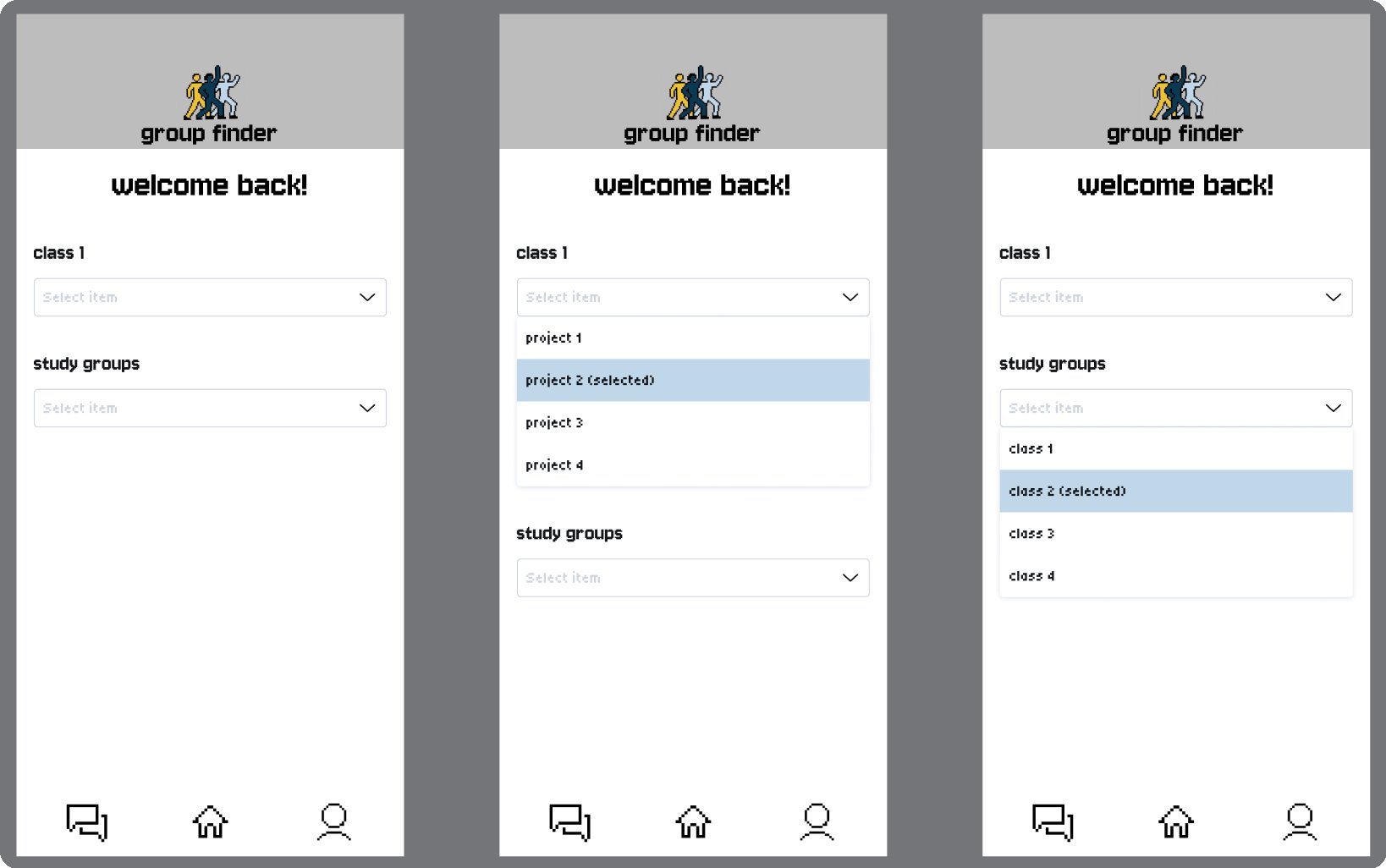
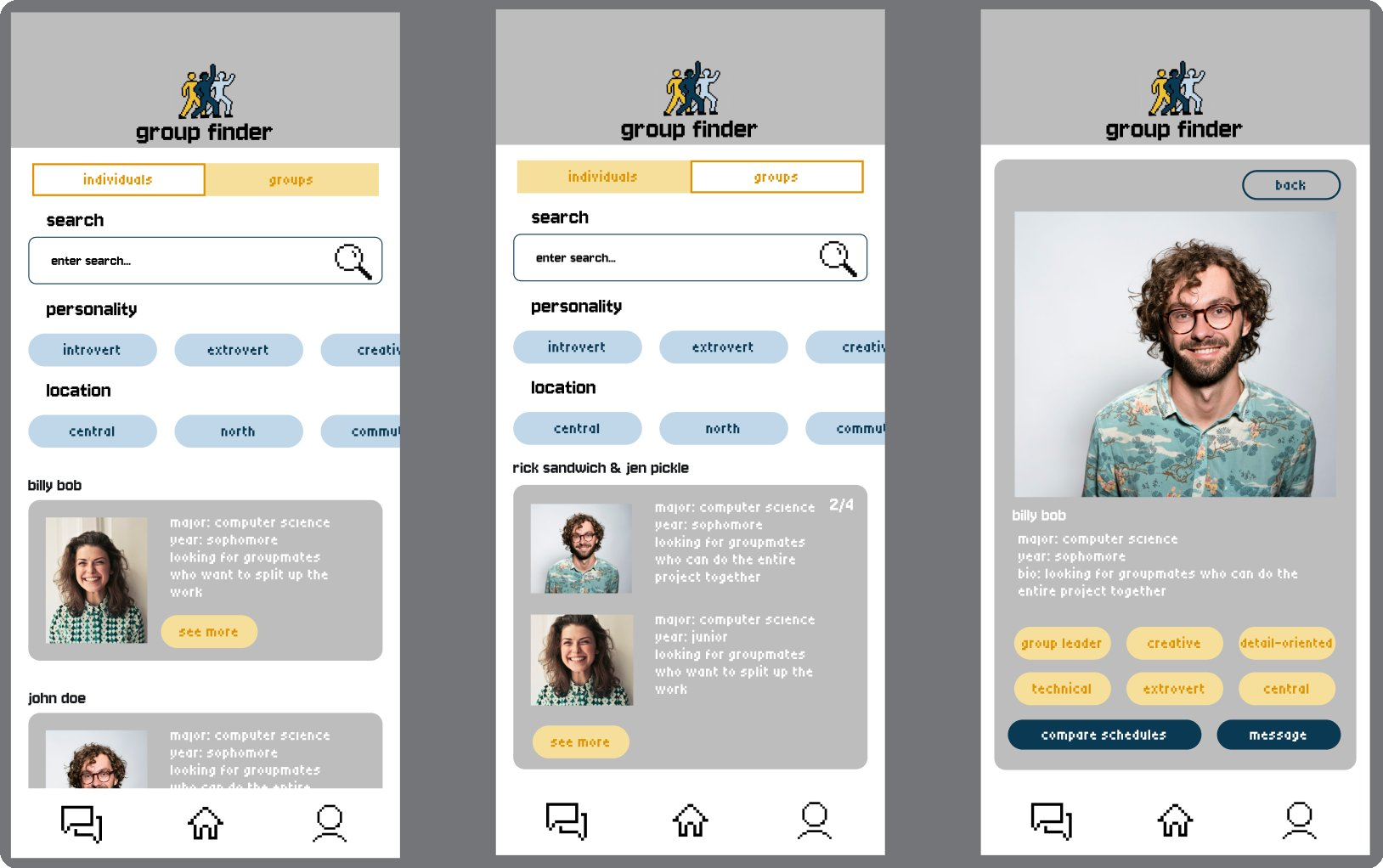
Getting the filter system right was the most critical design challenge. Personality tags, location, and a compare schedules feature were all added based on feedback from lo-fi walkthroughs; users wanted to be able to make an informed decision before ever sending a message.
Brought to life.